Your starting point
Spectral bands required by the index, boundary and comparable dates.

GEOFARM PRO / CONNECTED TOOLS
Map spectral bands already available in source attributes and calculate NDVI, NDRE, SAVI and GNDVI. Classify vigor, potential gaps and infestation and compare dates to guide field scouting.
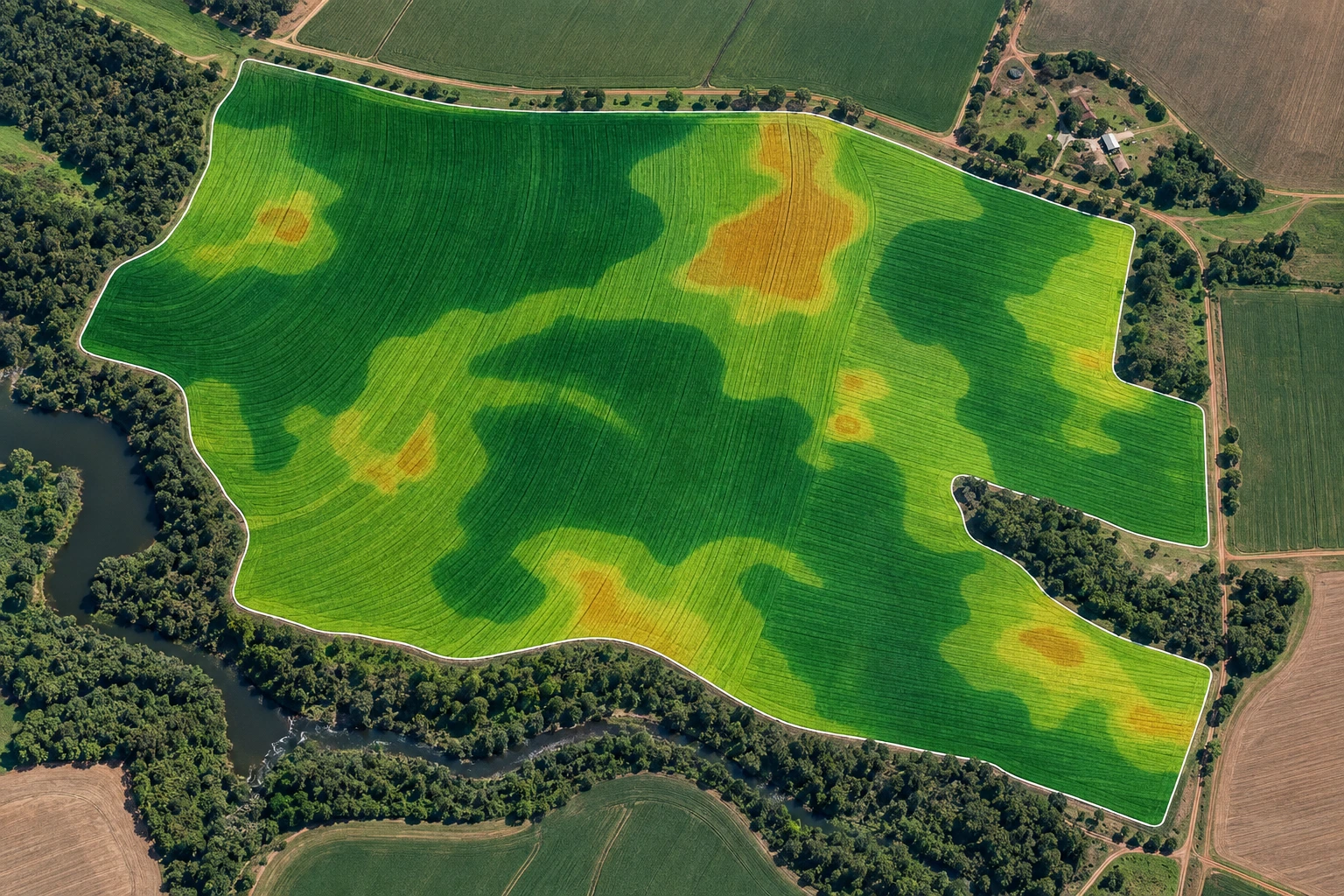
Spectral bands required by the index, boundary and comparable dates.
Prioritize investigation in areas that need attention.
Index and temporal change maps; indices require the appropriate bands.
INSIDE THE TOOL
From data preparation to final delivery, explore the controls that bring precision to planning and connect every stage of your work.
Match each attribute to the corresponding sensor band. Red, NIR, Red Edge and green support different vegetation readings.
Select the index according to the agronomic question and available bands. Compare the spatial response across the field.
Adjust the SAVI soil factor to explore lower vegetation cover while retaining crop-stage context.
Set thresholds to highlight areas of interest. Classes organize locations to inspect during field scouting.
Compare sources and dates to observe vigor development. Identify persistent areas and changes worth monitoring.
Turn index interpretation into environments connected to management. Carry the analysis into zones, prescriptions and scouting.
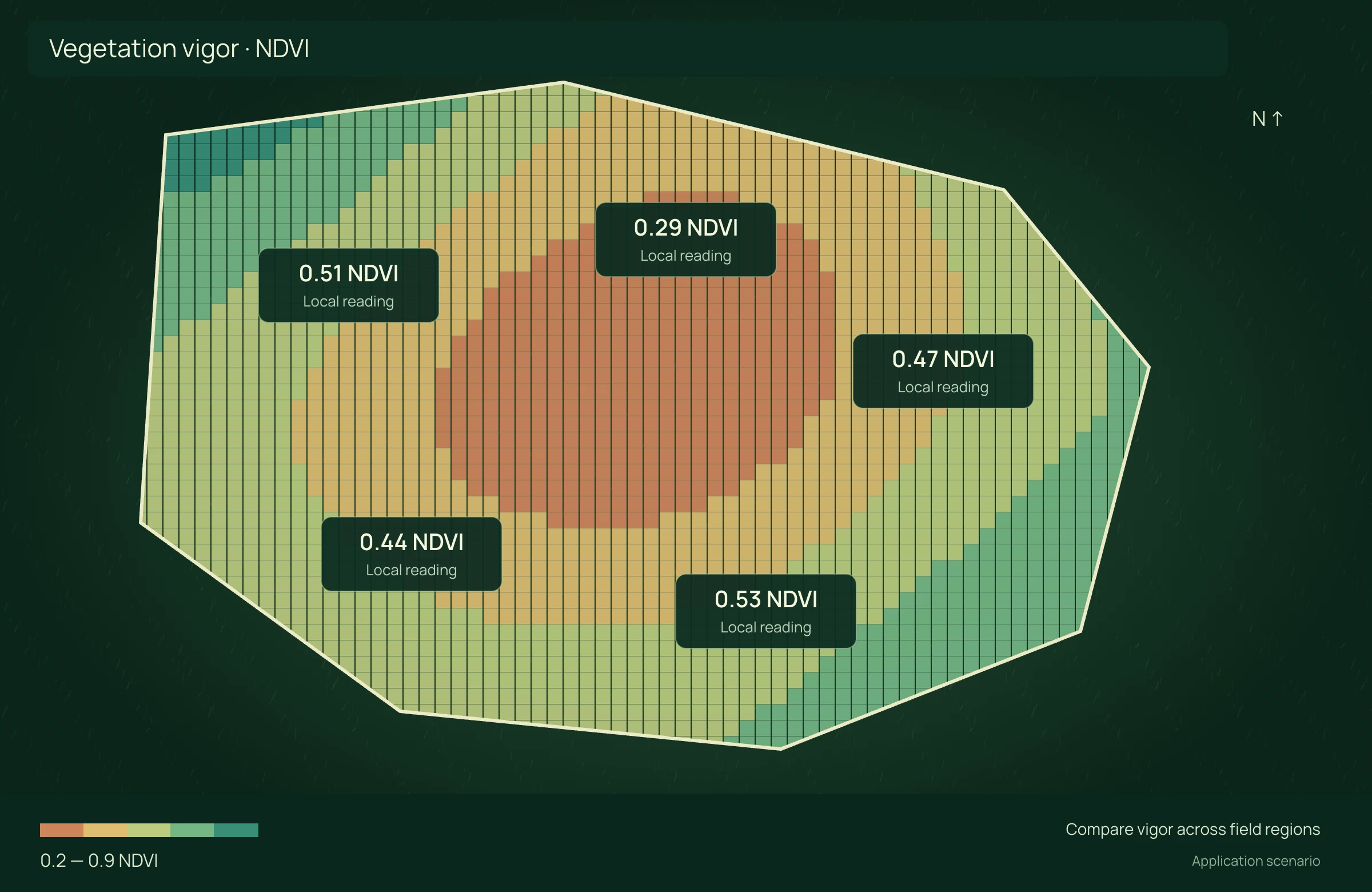
APPLICATION SCENARIO
After detecting a low-vigor patch, the team prioritizes visits and compares imagery with soil, history and observations. The index locates differences but does not diagnose their cause on its own.
PRECISION YOU CAN MEASURE
Use indices and maps to locate vigor differences, prioritize visits and record field investigation.
Compares scouting scopes for the stated objective. Imagery does not automatically replace necessary inspection; targeted area must meet the agronomic plan. No yield gain included.
ECONOMIC COMPARISON
Enable JavaScript to calculate this scenario.
Editable example per campaign or project. Enter local costs and the share of software, correction signal, equipment and services used in this scenario. Results are estimated from inputs; defaults are not research averages. Do not add benefits from studios representing the same operation.
Conventional = area × rounds × cost/ha. Targeted = conventional × prioritized share. Net benefit = difference − imagery, analysis and technology.
Net benefit = conventional cost − precision cost, including technology. Net return on technology = net benefit ÷ allocated technology cost × 100; displayed only when this cost is greater than zero. Only described components are compared, not the full crop budget.
Explore scenarios, track the effect of each input and export the comparison to discuss with your team.
References support the agronomic mechanisms. Example values are editable assumptions, not percentages attributed to the studies.
ONLINE AND DESKTOP · WINDOWS AND macOS
From a connected environment to planning with local files: choose the work profile that suits your team and operation.
Access the platform in your browser and connect information, analysis and deliverables in one workspace.
Organize files and projects on your computer, prepare basemaps and bring planning into your field routine.
For teams that center technical work on Windows workstations and value organized files, equipment and projects.
Talk to our team to define the right configuration for your online or offline operation.
Choose my solution ↗CONTINUE THE WORKFLOW
LET’S TALK ABOUT YOUR OPERATION