Your starting point
Problem description, context and relevant files.

GEOFARM PRO / CONNECTED TOOLS
Access technical chapters by feature and open tickets with context, priority, files and a problem description. Follow progress and replies to preserve request history.

Problem description, context and relevant files.
Make issues easier to reproduce and tools easier to use consistently.
Usage documentation and support request history.
INSIDE THE TOOL
From data preparation to final delivery, explore the controls that bring precision to planning and connect every stage of your work.
Find guidance in the context of the tool you are using.
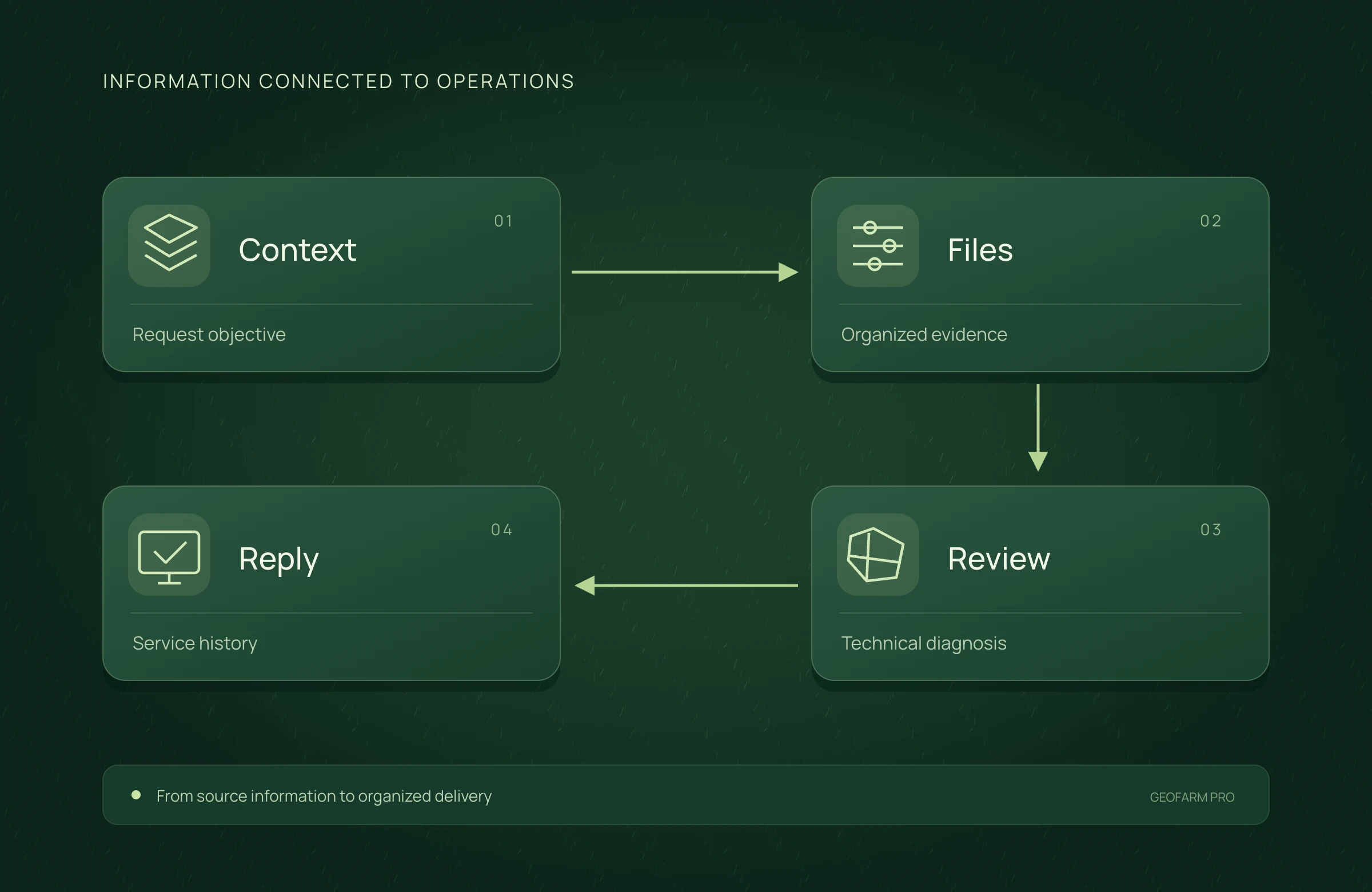
Organize the request with its objective, observed behavior and context.
Track request progress and assigned priority.
Include the elements that help reproduce and understand the situation.
Keep communication and received guidance in the service history.
Consult procedures for consistent importing, analysis and delivery.
APPLICATION SCENARIO
After detecting an incompatibility, the team records the file, destination and steps taken. A clearly described ticket helps investigation and organizes communication.
PRECISION YOU CAN MEASURE
Connect manuals, context and service history to reduce repeated investigation hours.
Compare the same workload. Rework cost includes only expenses and hours not already counted per item. Time saved is released capacity; it becomes cash savings when an actual expense is reduced.
ECONOMIC COMPARISON
Enable JavaScript to calculate this scenario.
Editable example per campaign or project. Enter local costs and the share of software, correction signal, equipment and services used in this scenario. Results are estimated from inputs; defaults are not research averages. Do not add benefits from studios representing the same operation.
Cost = items × minutes/item ÷ 60 × cost/h + rework events × cost/event. Net benefit = conventional cost − organized cost − allocated technology.
Net benefit = conventional cost − precision cost, including technology. Net return on technology = net benefit ÷ allocated technology cost × 100; displayed only when this cost is greater than zero. Only described components are compared, not the full crop budget.
Explore scenarios, track the effect of each input and export the comparison to discuss with your team.
ONLINE AND DESKTOP · WINDOWS AND macOS
From a connected environment to planning with local files: choose the work profile that suits your team and operation.
Access the platform in your browser and connect information, analysis and deliverables in one workspace.
Organize files and projects on your computer, prepare basemaps and bring planning into your field routine.
For teams that center technical work on Windows workstations and value organized files, equipment and projects.
Talk to our team to define the right configuration for your online or offline operation.
Choose my solution ↗CONTINUE THE WORKFLOW
LET’S TALK ABOUT YOUR OPERATION